
For owners and bookkeepers paying 30 to 500 bills a month
Accounts Payable Software for Small Business and AP Automation Software Compared
Small business AP has two jobs. Paying vendors is cheap now, often $0 to $25 a month inside QuickBooks or Melio. Reading each invoice into your books is the part that still eats the week. PayablesAgent does that reading for $49 to $149 a month, line items included.
Competitor prices are taken from each vendor's own pricing page.
Upload a vendor invoice and get every line back
PDF, JPG, PNG, BMP, HEIC, TIFF
Upload your invoices and receipts
Drop files here or click to upload
PDF, JPG, PNG, BMP, HEIC, TIFF
Uploading...
The short answer for a small business
If you run QuickBooks Online and pay mostly US vendors, start with QuickBooks Bill Pay or Melio for payments. Both cost $0 to $80 a month and send ACH for little or nothing. Move to BILL when you need multi-step approvals across several people, at $49 to $89 per user a month. Our post on AP automation for QuickBooks works out which BILL tier actually syncs with QuickBooks Online.
None of those removes the typing when your invoices carry part numbers, quantities and job codes. That is where a capture tool fits. PayablesAgent reads the vendor, dates, totals, tax and every line item, then hands you Excel, CSV or a QuickBooks Online file.
Job 1
Pay the vendor
ACH, checks, approvals before money moves.
$0 to $89 a month
QuickBooks Bill Pay, Melio, BILL, Ramp
Job 2
Read the invoice
Vendor, dates, totals, tax, every line.
$49 to $149 a month
PayablesAgent Starter or Plus
Most small businesses overpay by buying one big platform for both jobs.
Split themWhat small business AP software costs for a real month
Two people handle bills, 40 ACH payments and 10 checks go out. Plan and fee figures come from each vendor's pricing page, checked October 7 and 8, 2026.
$0 plan, free ACH, 10 checks at $1.50
$25 plan, 20 free ACH then 20 at $0.50, 10 checks at $1.50; extra users $10 each
2 users at $49, 40 ACH at $0.59, 10 checks at $1.99
2,500 pages a month, line items included, payments stay in your bank or Bill Pay
Payments for $15, invoices read for $49
Payment tools have become cheap, and three of them have a $0 entry plan. What you pay for at BILL is mostly seats and approval rules. If one or two people pay the bills, those seats are a large share of the invoice.
The cost these tools leave on the table is labor. A supplier invoice with eight lines takes a few minutes to key by hand. At 150 bills a month that is a working week of someone's time.
For the full fee breakdowns, read our Bill.com pricing and fees and Melio pricing posts.
What to look for in AP automation software for small business
Skip the feature grids written for 500-person finance teams. Five questions decide the buy for a small business.
Does it read line items?
Header-only capture gives you vendor and total. If you track inventory, job costs or class, you need every line, and several payment tools only offer that on higher plans.
How is it priced per person?
Per-user pricing hurts when an owner, a bookkeeper and an outside CPA all need access. Count everyone who logs in, not only who approves.
What do checks cost?
Many small vendors still want paper checks. At $1.50 to $1.99 each they add up faster than the plan fee.
Which books does it sync with?
QuickBooks Online and Xero are covered almost everywhere. QuickBooks Desktop, NetSuite and Sage Intacct often sit on a higher plan.
Do you need approvals?
If the owner signs every bill, approval chains add nothing. If three managers spend, they matter, and that is where BILL or Bill Pay Elite earns its fee.
Can you buy it today?
Small businesses rarely have time for demos and annual contracts. Every tool on this page publishes a price and bills monthly on its entry plan.
Best AP automation software for small business side by side
Sources: quickbooks.intuit.com, melio.com/pricing, bill.com/pricing and ramp.com/pricing, checked October 7 and 8, 2026.
| QuickBooks Bill Pay | Melio | BILL | Ramp | PayablesAgent | |
|---|---|---|---|---|---|
| Plans | $0, $15, $45 a month on top of QuickBooks Online | $0, $25, $55, $80 a month | $49, $65, $89 per user a month | Free; Plus $15 per user plus a platform fee | $49, $149, $499 a month |
| Standard ACH | Free | 5 to unlimited free by plan, then $0.50 | $0.59 | Free | Not a payment tool |
| Paper check | $1.50 | $1.50 | $1.99 | Offered | Not a payment tool |
| Approval workflows | Elite tier | Core and above | Yes, multi-step | Yes | No, approve in QuickBooks or your bill pay tool |
| Line items from the invoice | You enter or review them | AI bill capture; advanced line items by plan | Invoice capture included | Auto-coded line items on Plus | Every plan |
| Books | QuickBooks Online only | QuickBooks Online, Xero; Desktop from Boost; NetSuite on Unlimited | QuickBooks, Xero; NetSuite and Sage Intacct on Enterprise | QuickBooks Online, Xero; NetSuite and Sage Intacct on Plus | Excel and CSV on every plan, QuickBooks Online file on Plus, API on Pro |
| Best for | QuickBooks shops paying US vendors | Owners who want card payments to vendors | Teams with several approvers | Companies already on Ramp cards | Anyone still typing invoices into the books |
Looking at BILL specifically? See our Bill.com competitors comparison or the Melio alternatives page.
The piece most small business AP stacks are missing
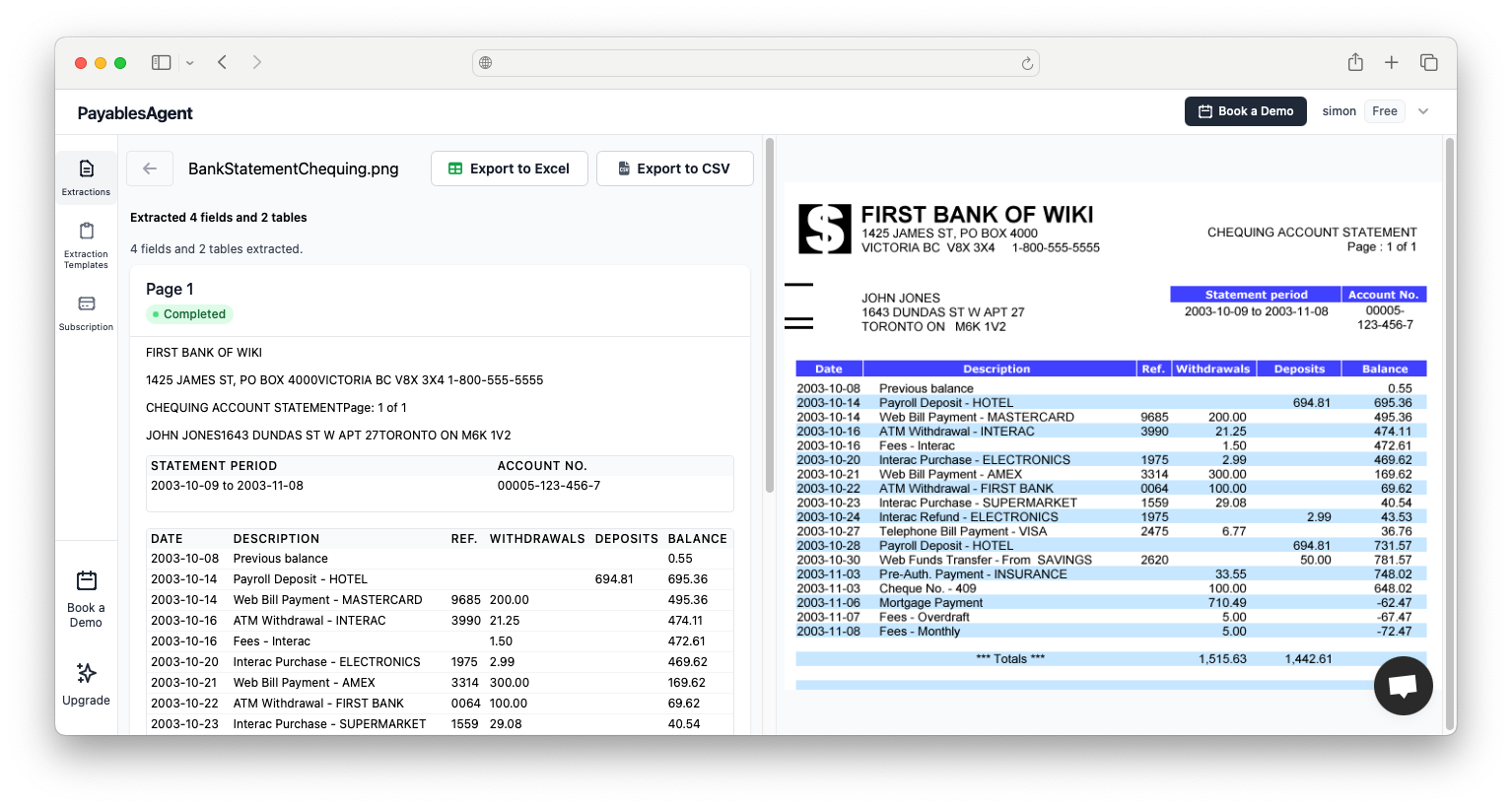
A building supply invoice can run to 30 lines. A restaurant food delivery invoice, 40. Payment tools record the bill and its total. Someone still has to get the lines into QuickBooks if you want job costing, item tracking or a clean audit trail.
PayablesAgent reads PDFs, scans and phone photos, multi-page invoices included. You review the fields next to the original document and export.
- ✓Starter $49 a month, 2,500 pages, one seat, Excel and CSV
- ✓Plus $149 a month, 10,000 pages, three seats, QuickBooks Online export
- ✓Pro $499 a month, 35,000 pages, five seats and the API
Which setup fits your business
Owner pays 30 to 80 bills a month
QuickBooks Bill Pay Basic or Melio Core for payments. Add Starter at $49 only if invoices carry lines you need in the books.
Bookkeeper plus owner, 100 to 400 bills
Bill Pay Elite or Melio Boost, with Plus at $149 so the bookkeeper and an outside CPA can review captured invoices and export straight to QuickBooks Online.
Several managers approve spend
BILL Team or Corporate. Its approval rules are the reason to pay per user. If you still key line items after BILL captures the header, capture can sit in front of it.
From vendor invoice to QuickBooks in four steps
Collect the bills
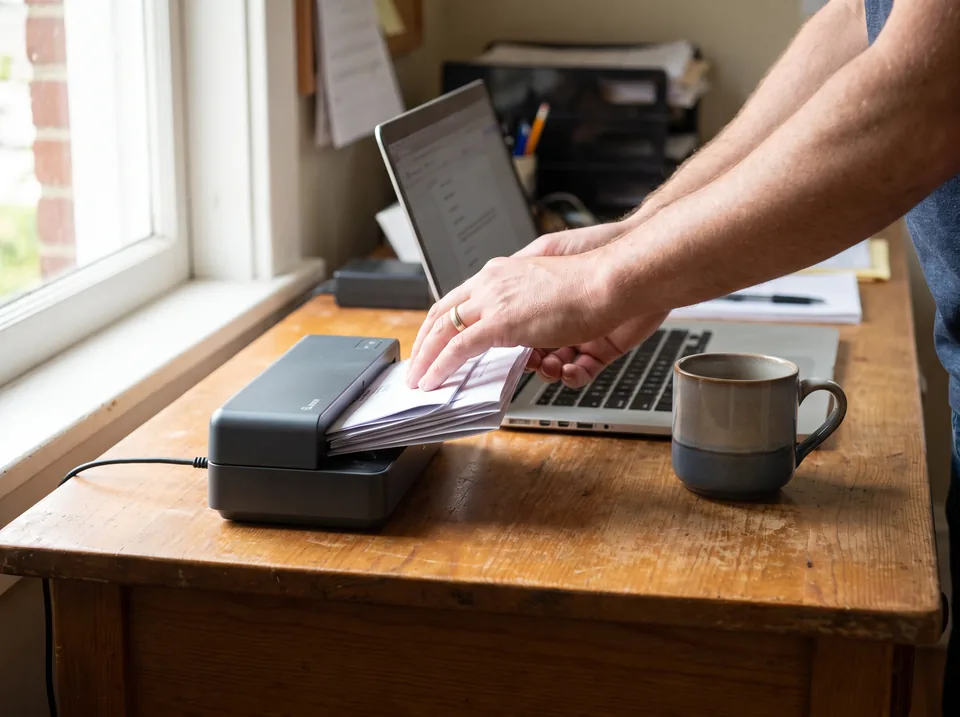
Drop in PDFs from email, scans from the office scanner or phone photos of paper invoices.
Fields are read
Vendor, invoice number, dates, terms, tax, totals and each line with quantity and price.
Check and fix
Review the results beside the original page and correct anything before it reaches your books.
Export and pay
Import into QuickBooks Online or your spreadsheet, then pay through Bill Pay, Melio or your bank as before.
Running QuickBooks? The QuickBooks Online invoice OCR page shows the import step in detail. Paper-heavy vendors are covered on the AP scanning software page.

When you do not need a capture tool
Be honest about volume. If you pay 20 bills a month and each is one line (rent, a utility, a subscription), typing them takes ten minutes. QuickBooks Bill Pay or Melio alone is enough, and you should not buy us.
The same goes if your vendors already send e-invoices into a portal you pay from, or if you only need the total for each bill.
Capture earns its keep when invoices have many lines, arrive as paper or scanned PDFs, or when a bookkeeper bills you by the hour to enter them.
Questions small businesses ask about AP software
What is the best accounts payable software for a small business?
For most US small businesses on QuickBooks Online, the best fit is QuickBooks Bill Pay or Melio for payments, plus a capture tool if someone still types line items. BILL suits teams that need multi-step approvals and pay $49 to $89 per user a month. Ramp suits companies that already run Ramp cards.
How much does AP automation software cost for a small business?
Payment-focused tools start at $0 to $25 a month (QuickBooks Bill Pay Basic, Melio Go, Ramp Free, Melio Core) and add per-check and per-payment fees. BILL runs $49 to $89 per user a month. Invoice capture with line items costs $49 a month for 2,500 pages at PayablesAgent, or $149 with three seats and a QuickBooks Online export.
Does QuickBooks have accounts payable software?
Yes. QuickBooks Online tracks bills and has QuickBooks Bill Pay built in, at $0, $15 or $45 a month on top of the QuickBooks subscription, with free standard ACH. Approval automation is on the Elite tier only. You still enter or review bill details, so many owners add a capture tool that reads invoices into a QuickBooks import file.
Is AP automation worth it for a small business?
It is worth it once someone spends more than a few hours a month keying bills. At 150 invoices a month with 5 to 10 lines each, typing takes a part-time clerk most of a week. A $49 to $149 plan that reads those invoices costs less than one day of that person's time.
What is the cheapest AP automation software?
For paying bills, the cheapest options are QuickBooks Bill Pay Basic and Melio Go at $0 a month, and Ramp Free at $0 per user, each with limits on users, payment speed or integrations. For reading invoices into your books, flat capture plans start at $49 a month. The cheapest setup that removes typing is usually one of each.
Stop typing vendor invoices into QuickBooks
Keep the bill pay tool you have. Add line-item capture for $49 a month, or $149 with three seats and a QuickBooks Online export. Monthly billing, cancel any time.